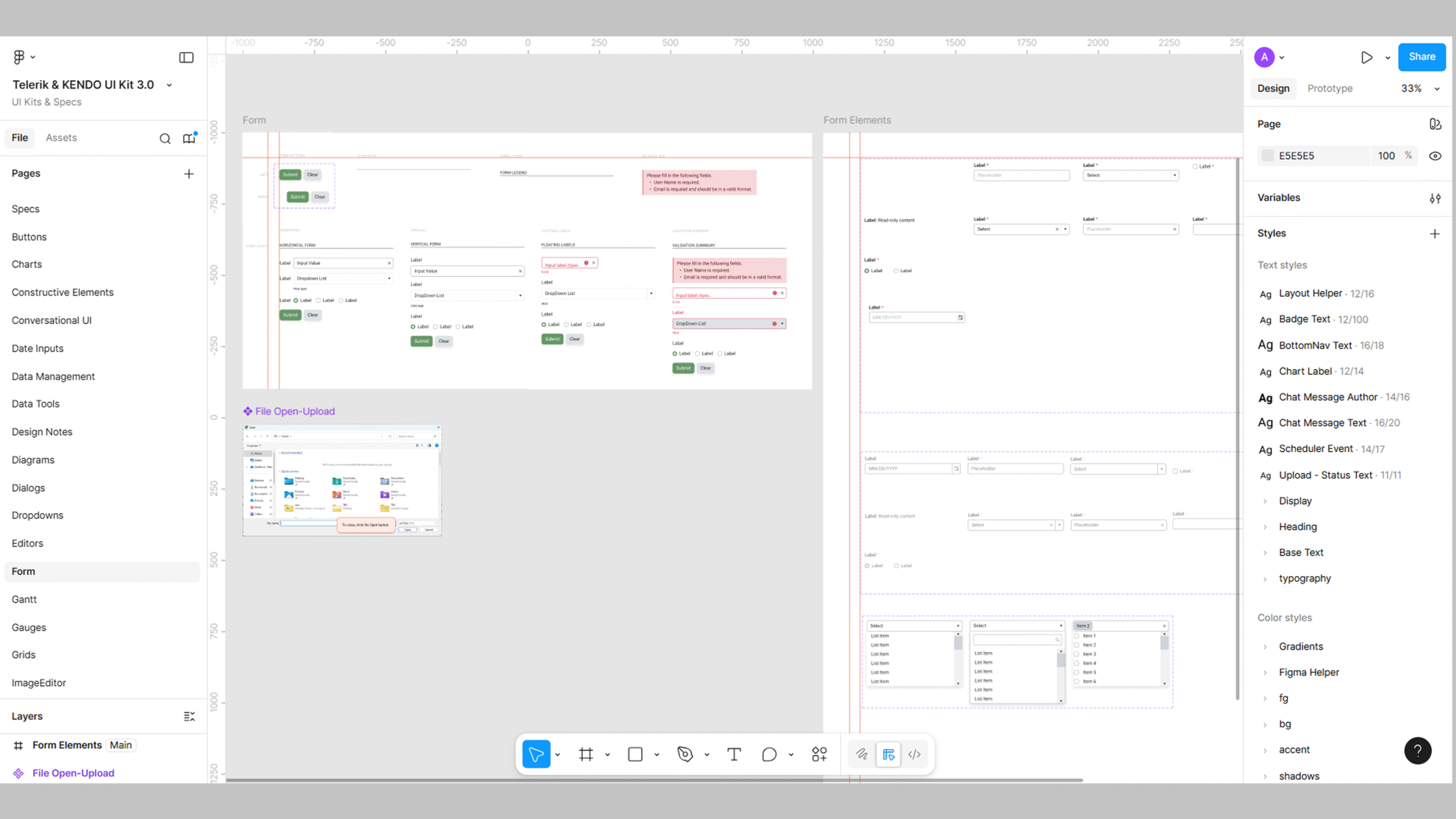
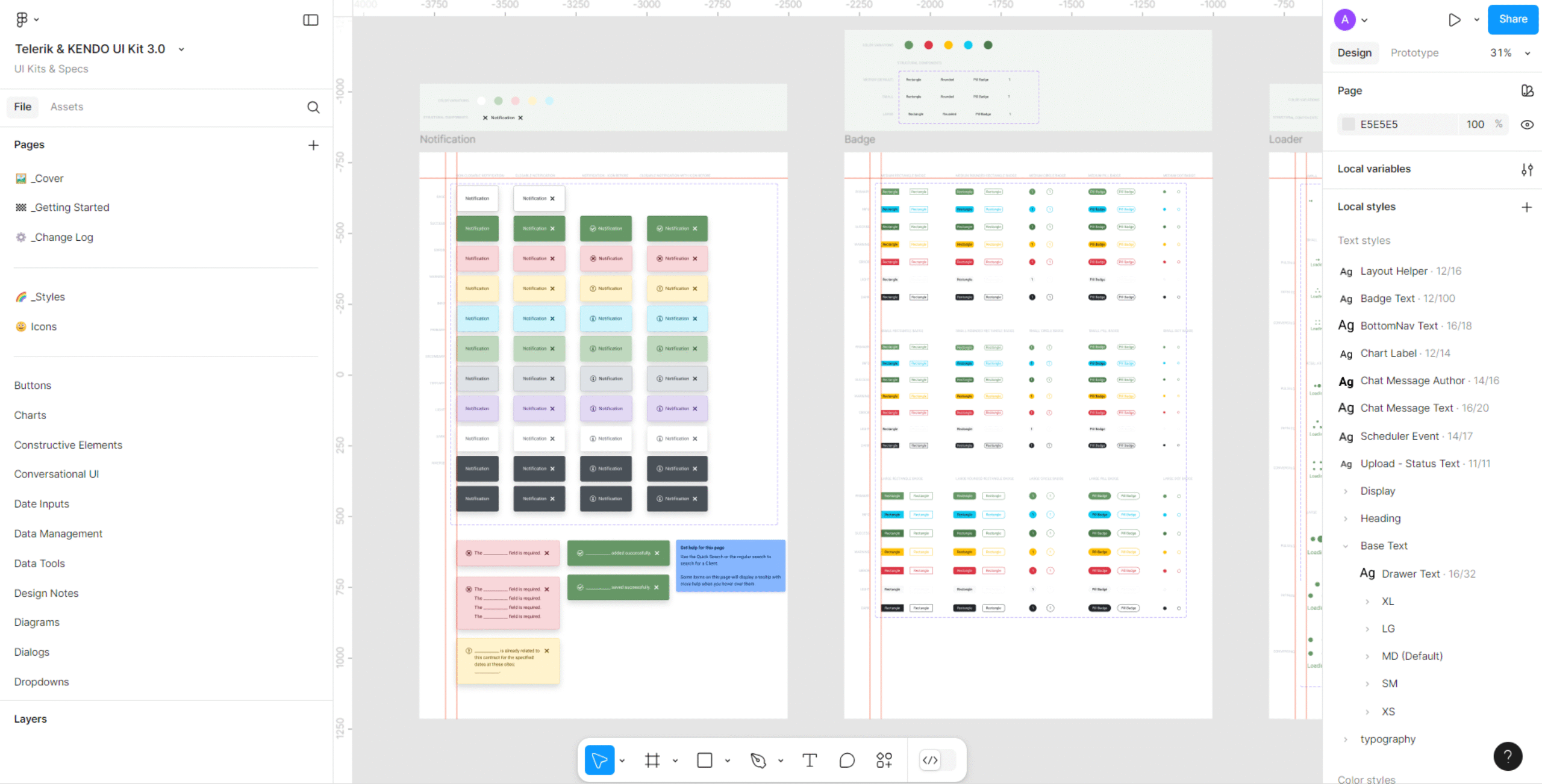
Most UI work in enterprise environments doesn’t start with a blank slate. In my current role, the UI kit already exists—Telerik/Kendo provides the base components, naming patterns, and code-aligned structure. My job isn’t to reinvent that. My job is to make the kit faster, cleaner, and more usable for day-to-day screen design.
I spend a lot of time identifying where the base kit slows down actual production work. The default components don’t always reflect how the product uses them, and some of the most heavily used controls—forms and tables—need more practical variants than the starter kit provides. Instead of creating new components from scratch, I extend what already exists so it matches the real product more accurately and eliminates repetitive design tasks.
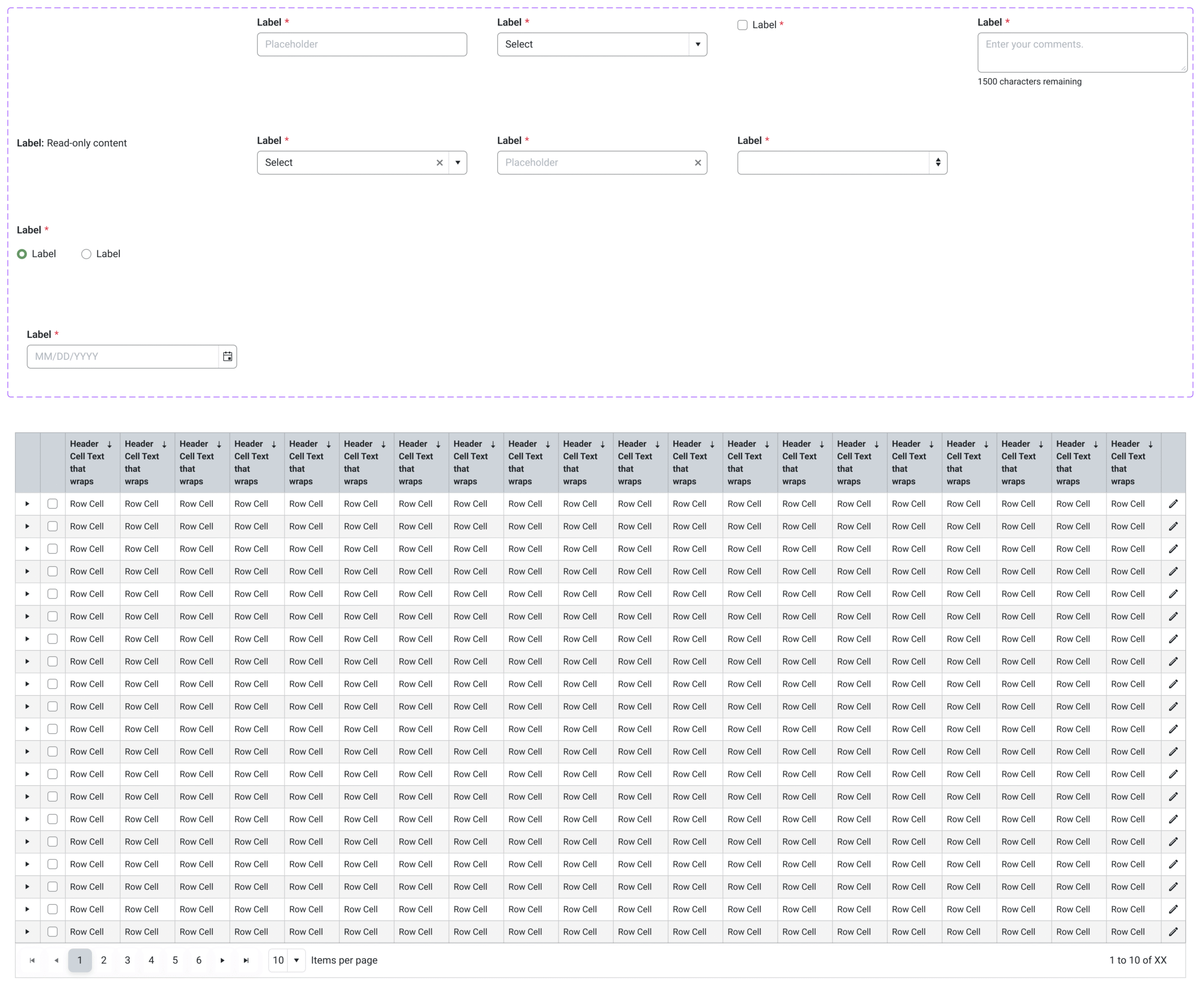
Forms are a good example. The Kendo kit provides form fields, but switching between field types during design can be tedious. I solved that by building structured variants into the form field component: regular input, regular input with a close button, dropdown, dropdown with a close button, incremental, checkbox, comments, read-only, radio button, and a date picker. Instead of duplicating components or rebuilding layouts, I can switch the field type from a single variant menu. It reduces friction and keeps every field aligned with how the app actually uses that control.
Tables are the other area where enhancements matter. The product uses a very consistent table format—specific header styling, row spacing, checkbox positions, icon placement. The base Kendo table contains a lot of variants, but doesn’t match those details closely enough for production-ready mockups, so I created a customized table variant that reflects the real app’s structure. Now, the table I drag into a screen already looks and behaves like what developers will build.
These enhancements don’t change the library—they refine it so it works the way the product team actually works. The value is speed: faster mockups, fewer inconsistencies, and easier handoff because every component stays tightly aligned to the engineering stack.
This is how I approach UI kits in environments where the system already exists. I don’t rebuild the library. I make the existing one better so I can produce scalable, consistent screens with less effort and less back-and-forth with engineering. By extending existing UI kits with real-world variants and optimized component workflows, I improve design speed and consistency across screens. These enhancements reduce repetitive setup work, align the design system more closely with actual engineering patterns, and simplify handoff. As a result, production mockups are created faster and require fewer design-to-dev revisions.
✢✢✢✢✢✢✢✢✢✢✢✢✢✢✢✢✢✢✢✢✢✢✢✢✢✢✢✢✢✢
IC UI Designer • Design Systems Contributor • Figma Libraries, Telerik/Kendo UI, Tokens, Component Libraries