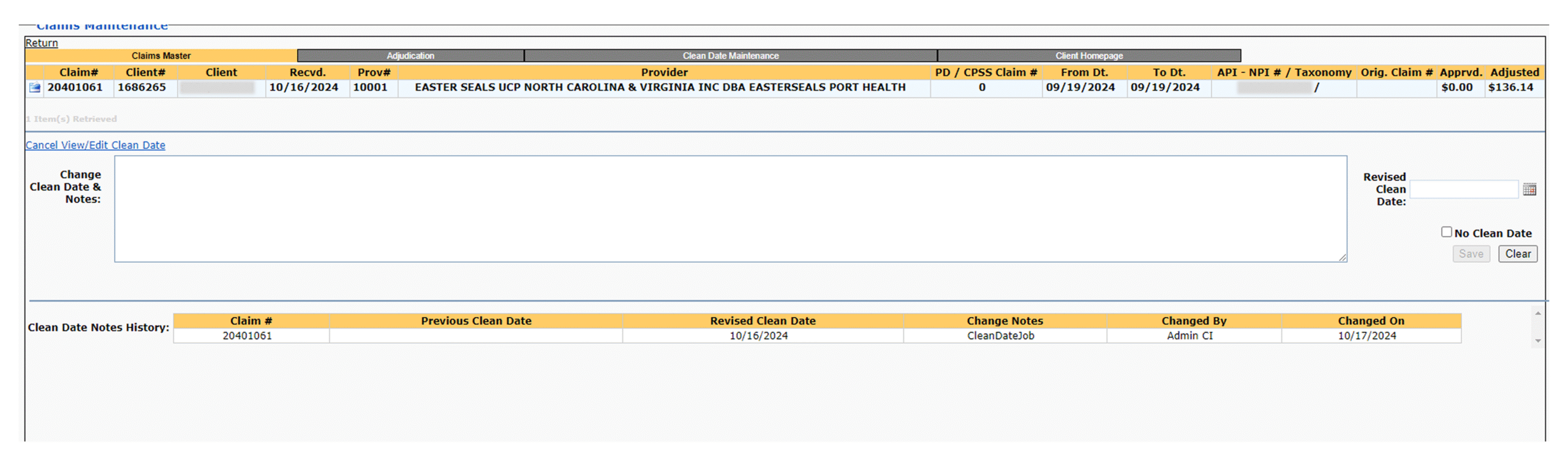

Most people assume a “simple UI redesign” starts the moment you open Figma. In reality, my work starts long before that. The app I support is large, inconsistent, and has no documentation—so the first step isn’t design at all. It’s detective work. I often have to figure out how a section of the product works, why it exists, and who actually uses it. Sometimes even the business doesn’t know who owns a workflow anymore, so I track down the right users, ask them to demo what they do, and reconstruct the actual tasks they rely on.
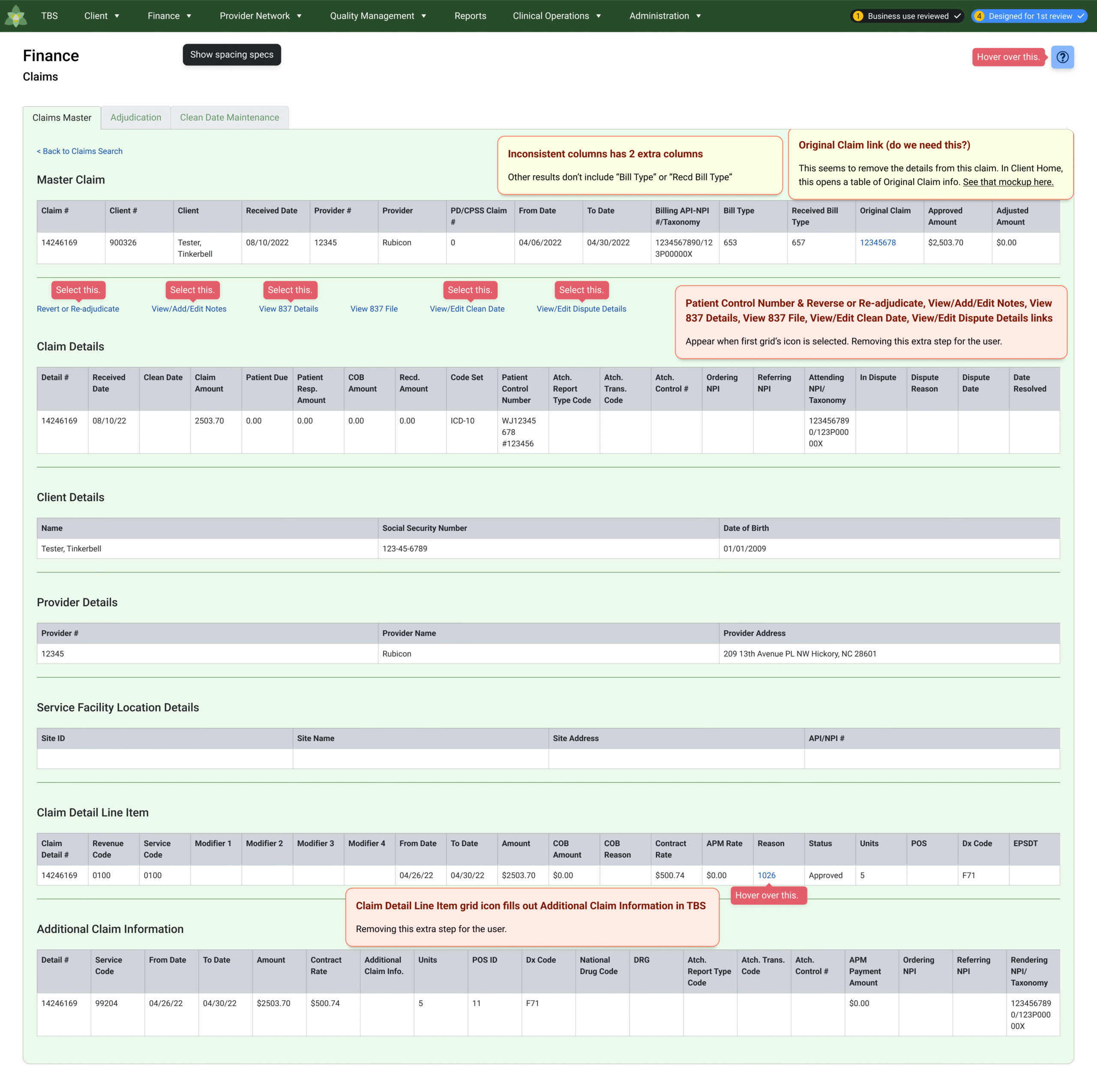
Only after I uncover what the screen is supposed to do can I redesign it. And because the UI is messy and inconsistent, a lot of the real work is identifying patterns buried across dozens of pages. I map out the screens, compare behaviors, look for common states, and confirm which elements are components versus custom one-offs. I’m not renaming tokens or cleaning up variants—that’s not the setup we use. Instead, I align each redesign to how Telerik/Kendo (the UI kit the team currently uses) actually behaves, so the final mockups mirror real component logic and developers don’t have to improvise.
The visual layer is the last 40% of the job. The first 60% is investigation: understanding the workflow, validating the tasks, correcting inconsistencies, and making sure the design I deliver is grounded in how the product truly functions.
Tasks during a “simple” redesign:
- Tracking down who uses a feature when no one internally is sure
- Watching users demo confusing workflows to understand the real flow
- Reconstructing screen logic when behaviors differ from page to page
- Mapping messy sections so I know what belongs together
- Identifying components to ensure the redesign matches coded behavior
A redesign only works if it reflects reality. In an undocumented, inconsistent product, the hidden work is figuring out that reality first. My redesign work improves experience consistency across complex, undocumented products. By uncovering how workflows actually function and aligning redesigns to real component logic, I reduce developer guesswork, prevent UI drift, and increase design-to-development accuracy. Each “simple redesign” resolves hidden workflow confusion, improves usability, and establishes a more maintainable interface foundation for future updates.
✢✢✢✢✢✢✢✢✢✢✢✢✢✢✢✢✢✢✢✢✢✢✢✢✢✢✢✢✢✢
IC UI Designer • Design Systems Contributor • Figma Libraries, Telerik/Kendo UI, Tokens, Component Libraries