
Hybrid UI + Design Systems work sits in the middle of two realities: clean UI execution and system-driven consistency. It’s hands-on, detail-heavy, and grounded in making sure the product ships predictable, scalable interfaces—not theoretical frameworks or high-level strategy. Here’s how it actually plays out.
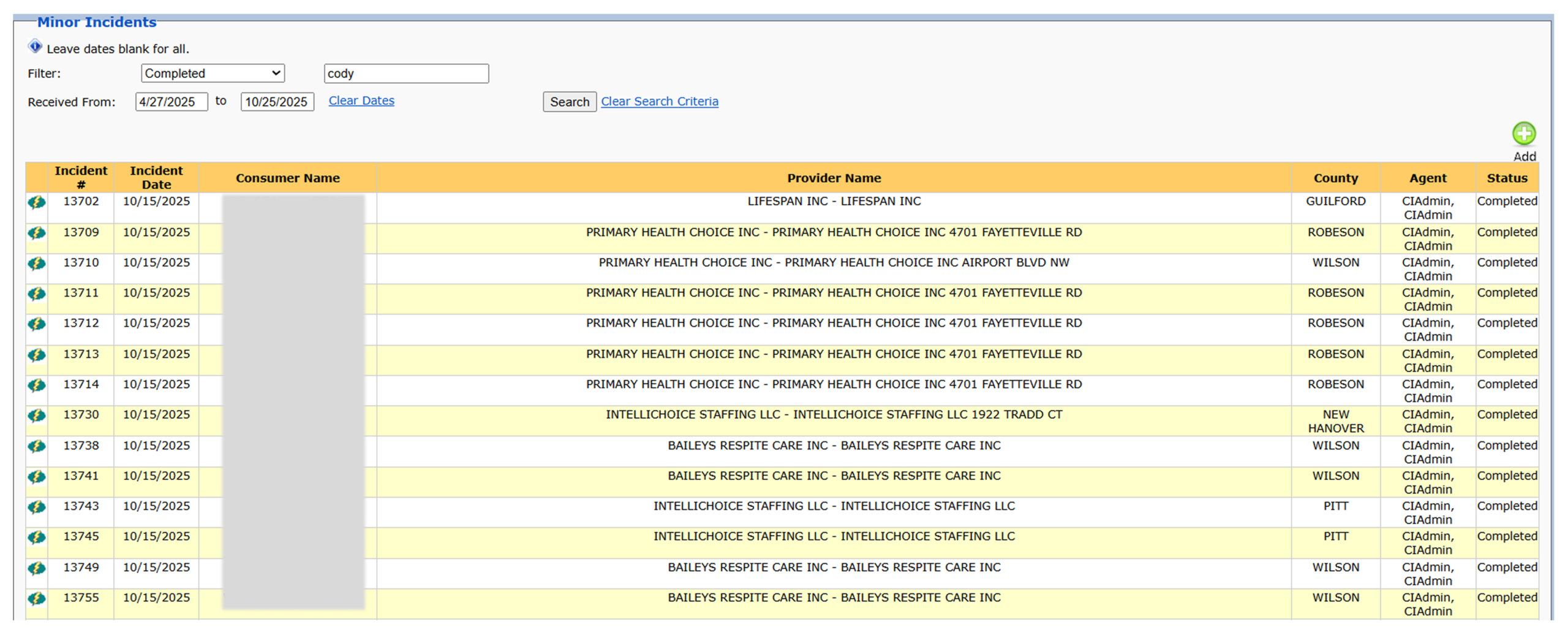
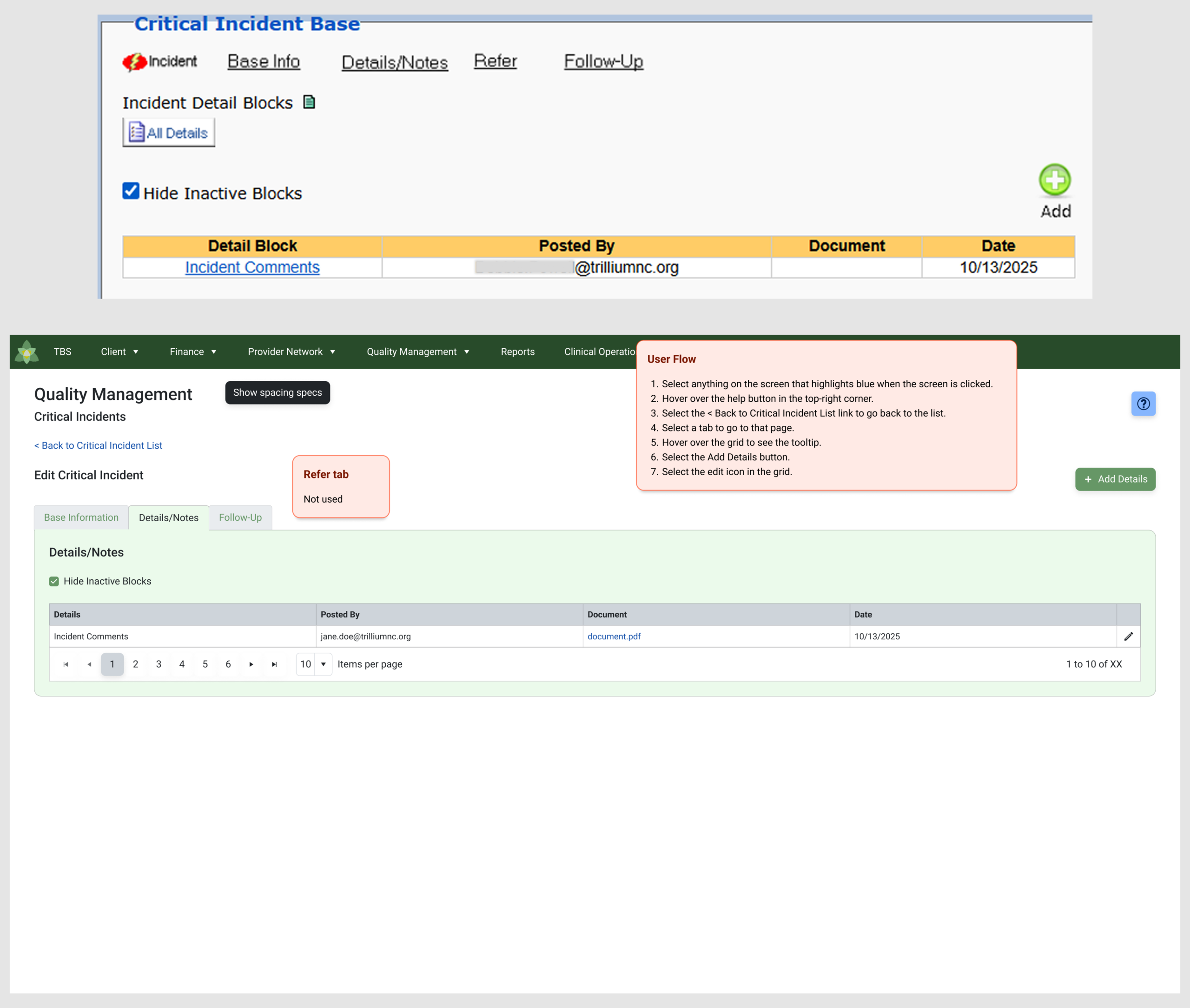
Most days begin with direct UI design work. I’m in Figma rethinking outdated screens, tightening layouts, correcting spacing, and redesigning old workflows from a legacy app that has no documentation. Before I even start designing, I often have to reverse-engineer how the current system works. That means meeting with business users, watching live demos of the old app, and understanding which screens people actually rely on. Half the time, no one knows who uses certain features, so there’s a bit of detective work involved.
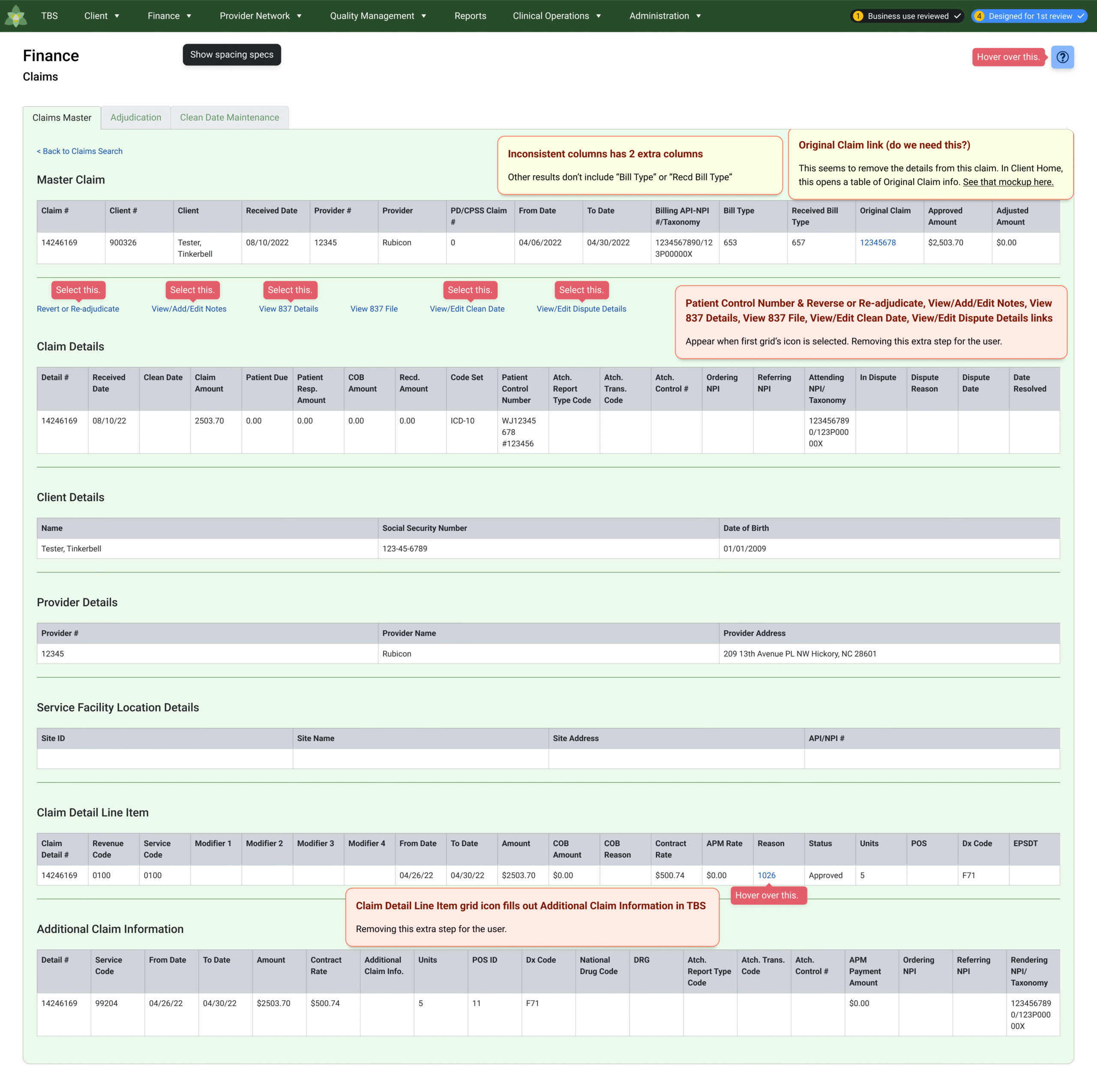
Once I understand the workflow, I redesign the pages using the Telerik/Kendo UI kit as the foundation. This keeps the UI visually consistent and aligned with what developers are coding against. As I build each screen, I’m applying spacing logic, standardizing component usage, and ensuring the UI is grounded in patterns that scale—without reinventing the entire system.
While I’m designing, I also audit the legacy application. These audits are about uncovering the buried inconsistencies inside an old, fragmented product. I’m tracking things like:
- mystery-meat icons
- outdated button styles
- read-only fields styled like interactive elements
- inconsistent spacing
- mismatched colors and typography
- screens built years apart with entirely different design logic
These findings shape how I rebuild each screen so the new UI is cleaner, predictable, and aligned to a single visual language.
The process isn’t linear. It’s cyclical and spans several weeks per workflow. The stages cycle and repeat:
- meet with business users to understand what’s used
- capture tasks and write user flows
- redesign the flow using the UI kit
- create detailed prototypes
- test the prototypes with the business
- adjust designs based on feedback
- add spacing specs and notes for developers
This cycle continues until the updated screens are ready for build. Instead of a typical “handoff day,” the work moves through iterative rounds where UI decisions, system alignment, and legacy cleanup feed into each other. That’s the reality of hybrid UI + Design Systems work: continuous, practical, and tightly integrated with how teams actually ship software.
My hybrid UI + Design Systems work improves product consistency, clarity, and scalability across legacy platforms. By auditing design debt, rebuilding screens within established UI kits, and standardizing components, I create cleaner, more predictable interfaces that align design with development. The result is a faster design-to-build process, reduced visual inconsistencies, and UI patterns that scale with product growth.
✢✢✢✢✢✢✢✢✢✢✢✢✢✢✢✢✢✢✢✢✢✢✢✢✢✢✢✢✢✢
IC UI Designer • Design Systems Contributor • Figma Libraries, Telerik/Kendo UI, Tokens, Component Libraries