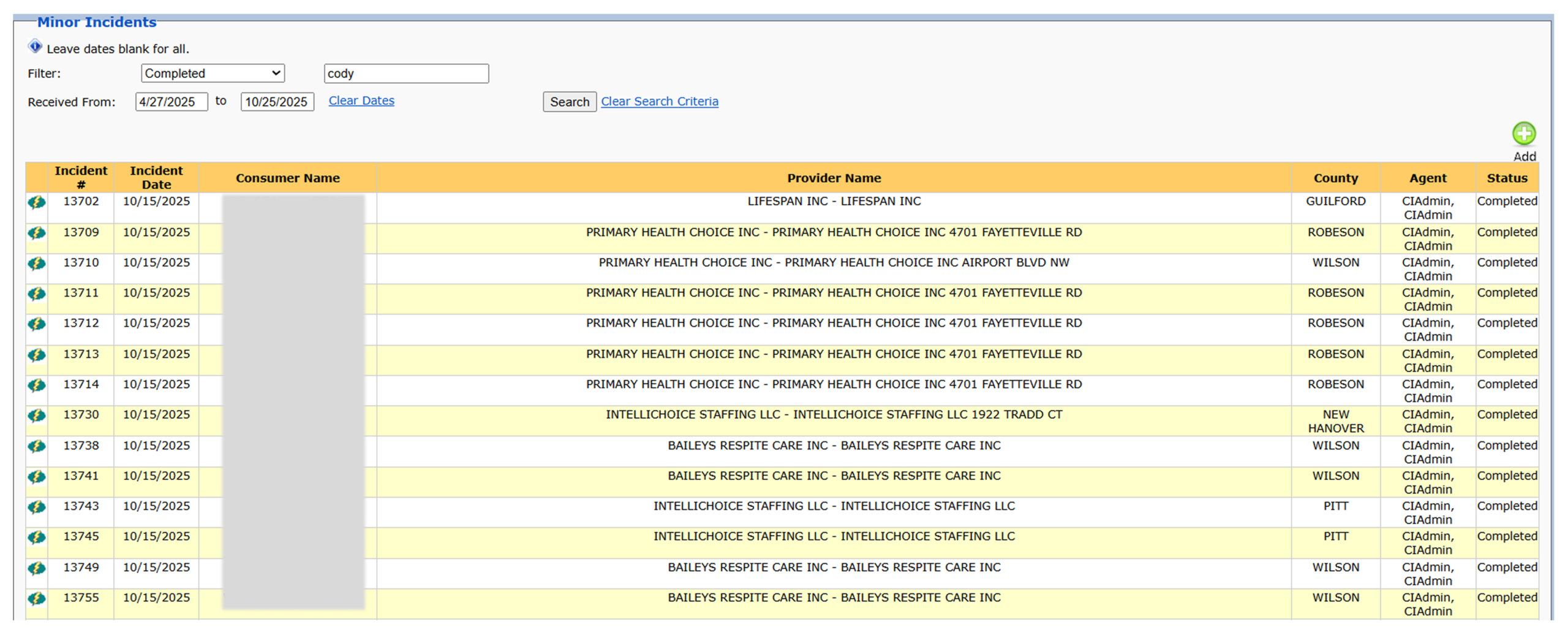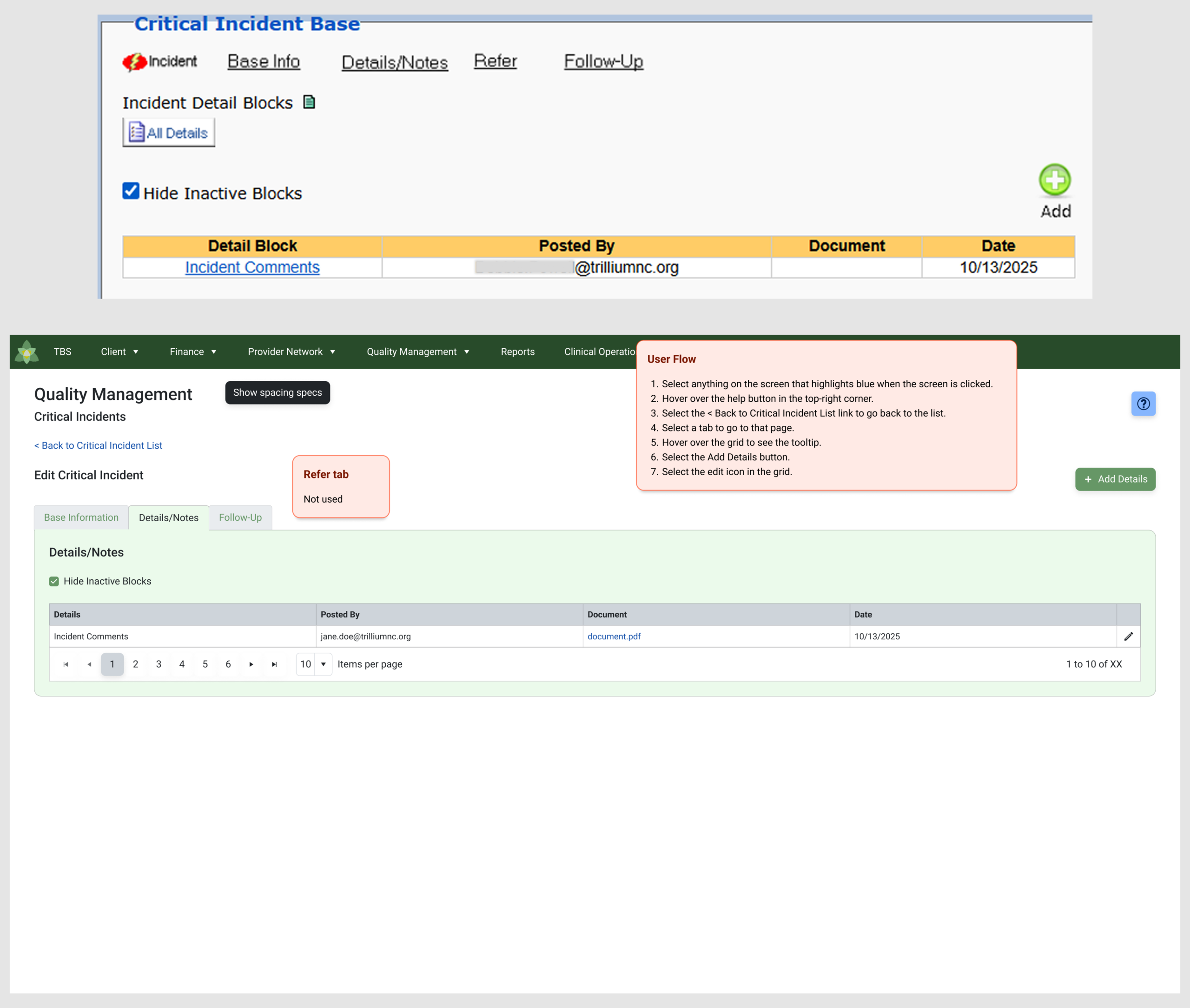
In enterprise systems, particularly within healthcare and EHR applications, users are frequently required to complete multi-step tasks that demand high accuracy. When a workflow involves deep logic and dependent fields, a standard “scrollable form” breaks down. You need a wizard.
As a UI Architect specializing in legacy modernization, my job isn’t to draw custom shapes for every new multi-step flow. Instead, I focus on framework-driven architecture—utilizing established libraries like Kendo UI to build governed, highly predictable step-flows that match engineering capabilities out of the box.
Here is how I approach the UX logic and governance of complex enterprise wizards:
1. Milestone Mapping & Progressive Disclosure
The primary purpose of a wizard is to reduce cognitive load by hiding future complexity until the user is ready for it.
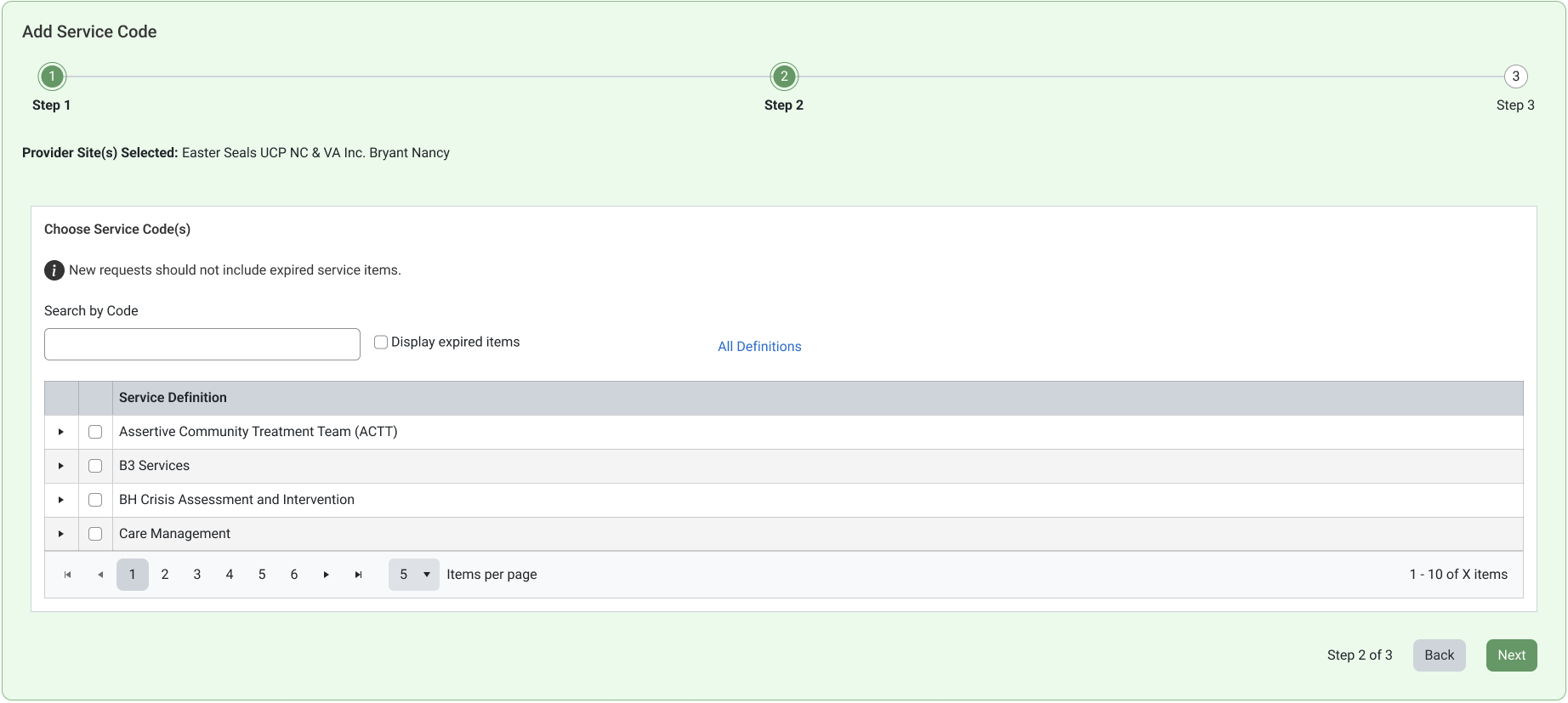
The Architecture: Using the Kendo UI Stepper pattern, I structure complex data collections into clear, linear milestones. By standardizing the step states (Unvisited, Active, Error, and Completed), the user gets instant visual confirmation of their progress, which drastically reduces form abandonment and error rates in high-stress environments.
2. Button Placement & Navigation Governance
In a multi-step flow, the navigational controls are the most critical interactive elements on the screen. If button locations shift between steps, user friction spikes.
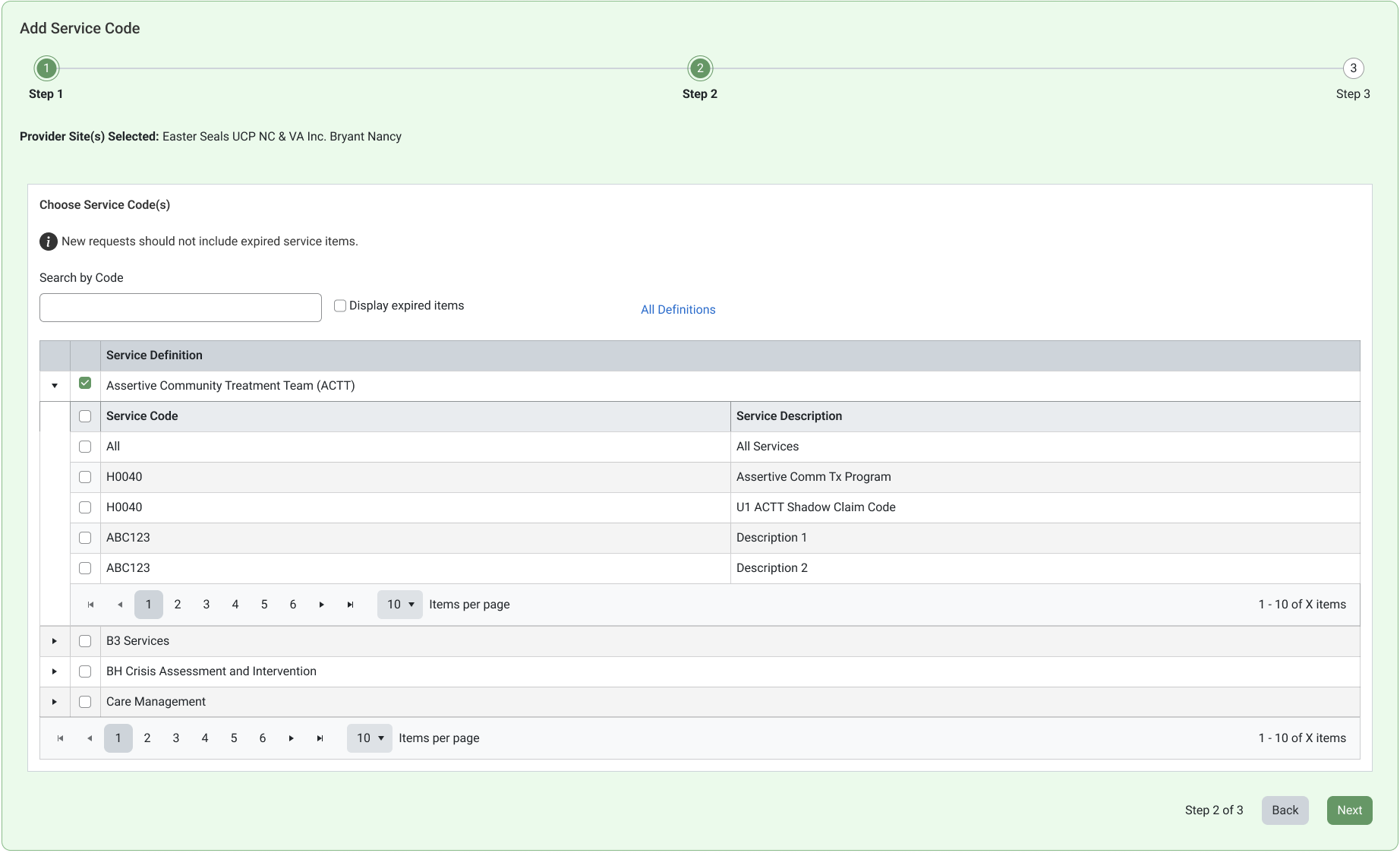
The Architecture: I enforce a strict structural layout for primary and secondary actions at the footer of the wizard. The ‘Back’ and ‘Next’ buttons are pinned to exact spatial layout variables, ensuring consistency across every single step. Furthermore, the ‘Submit’ or ‘Finish’ button is strictly governed—it remains conditionally disabled or invisible until all mandatory validation logic across previous steps is satisfied.
3. Edit-in-Place Architecture
Enterprise workflows demand high-velocity data management. Users must update records within their context, not filtered through multiple navigation points.
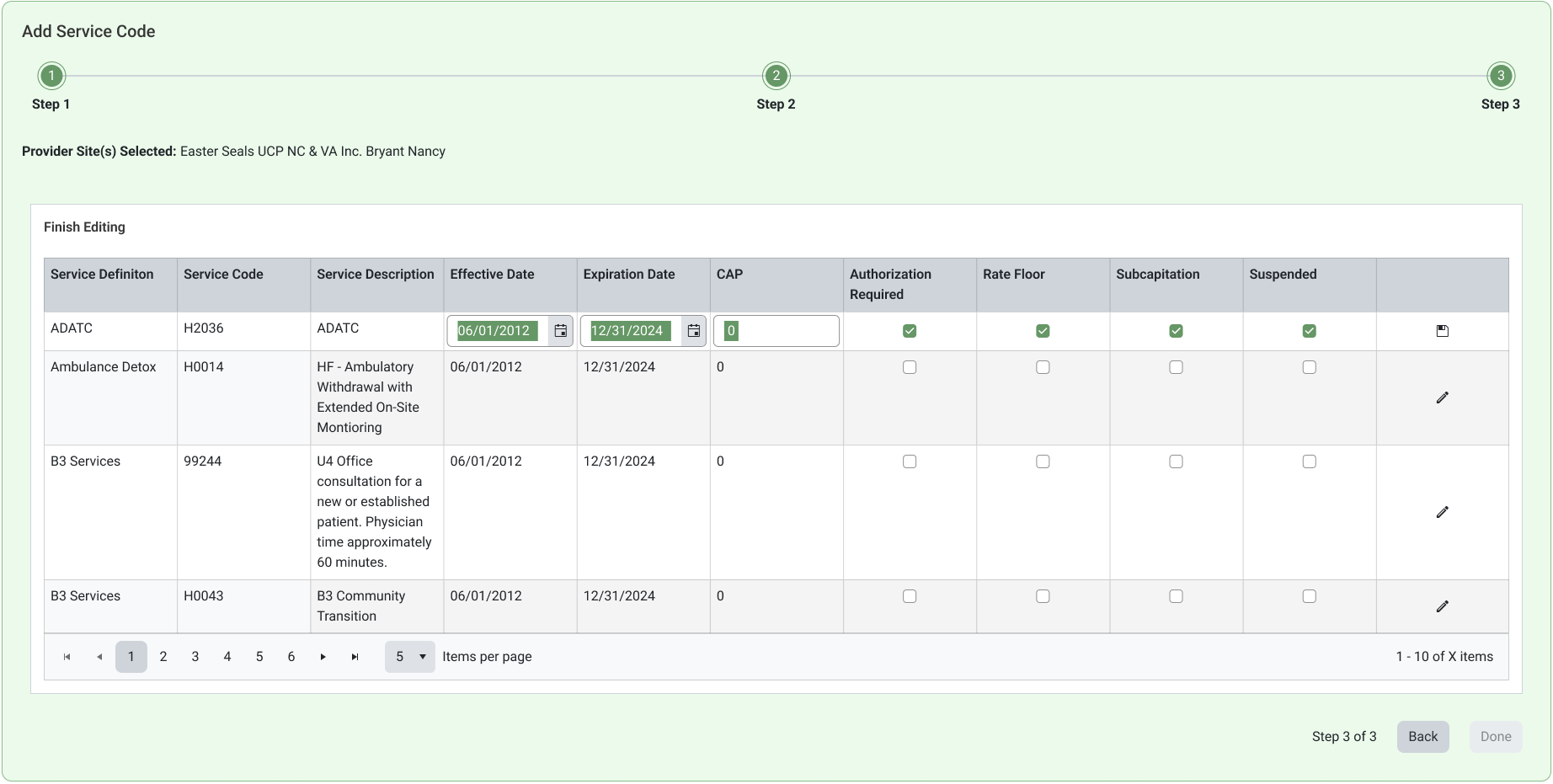
The Architecture: In this wizard-embedded grid, I implemented an edit-in-place architecture. This pattern provides an intuitive way to manage high-density data within a complex workflow. By allowing a user to directly modify a grid cell (like the ‘Effective Date’ and ‘Expiration Date’ seen here) contextually, we maintain the user’s flow and mental map, avoiding unnecessary screen context-switching that causes frustration and data-entry errors in high-stress clinical settings.
Let’s Refactor Your Technical Debt
Modernizing a legacy application doesn’t mean deleting your established business logic and starting from zero. It means finding the hidden order in what already works and wrapping it in a modern, governed architecture.
I bring a decade of visual craft and over 4 years of deep, real-world design systems architecture to fast-moving teams. If your enterprise app legacy components that feel completely “un-usable,” let’s connect.
✢✢✢✢✢✢✢✢✢✢✢✢✢✢✢✢✢✢✢✢✢✢✢✢✢✢✢✢✢✢
IC UI Designer • Design Systems Contributor • Figma Libraries, Telerik/Kendo UI, Tokens, Component Libraries